Case Study: Enforcing AI Rule Rollouts for 200 Developers (The Package Manager for AI)
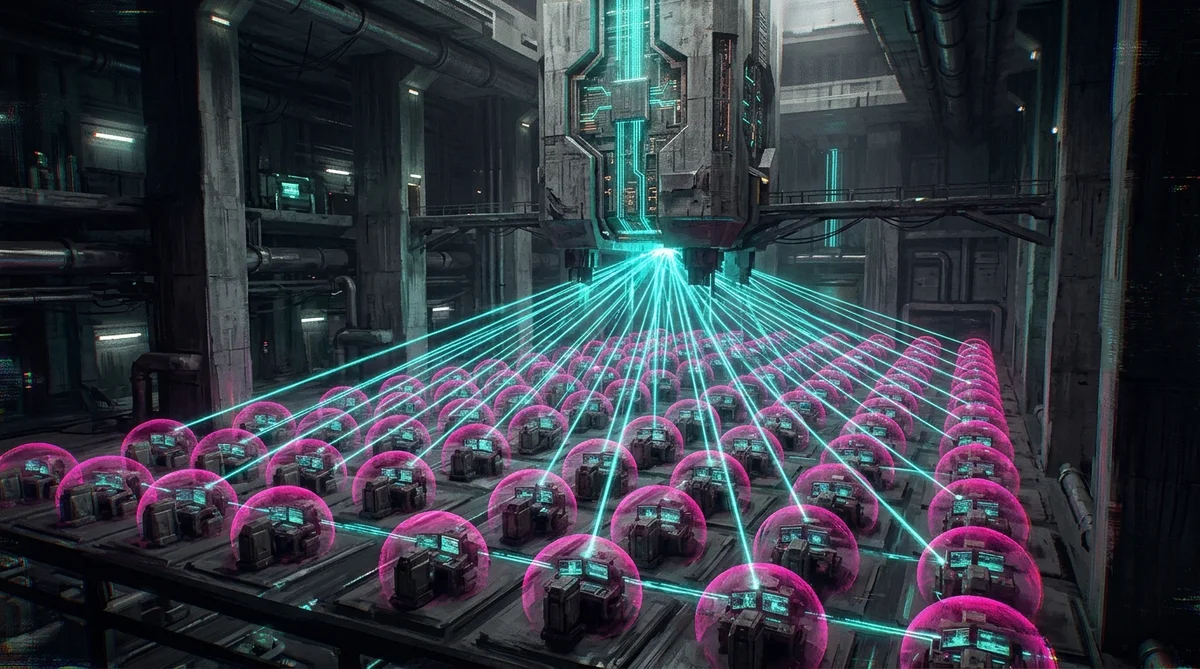
I was sitting in a review meeting with an enterprise engineering lead who was trying to enforce code-quality standards across a team of 200 developers.
The company had embraced AI-augmented development. Over 70% of their engineers were using Cursor, VS Code with Continue, or Claude Code on a daily basis. The DORA metrics showed a massive increase in initial coding speed, but their quality gates were crumbling.
A GitClear-style audit had revealed that code churn had doubled over two consecutive quarters. Engineers were committing code containing absolute local file paths, deprecated internal API wrappers, and unchecked security vulnerabilities.
The reason was obvious: while the company had an extensive wiki page detailing their official "AI Guidelines," every developer's local coding assistant was operating in a silo under different, unvetted rules.
The engineering lead wanted to enforce a strict 3-Tier AI Policy Engine:
- Corporate-Wide Governance: Security policies, credential restrictions, and GDPR gates.
- Language-Specific Standards: Standard libraries only for Python, strict typing for TypeScript.
- Project-Level Exceptions: Custom configurations for legacy subdomains.
Then they hit the real operational wall: How do you actually roll out and update these instructions across 200 developer workstations without manual copy-pasting?
Here is how I solved that bottleneck by treating AI instructions as version-controlled dependencies.
1. The Diagnosis: AI Configuration in the "Pre-NPM" Era
Before implementing a solution, we must diagnose the friction. Why does corporate AI governance fail?
Managing AI rules today is stuck in the pre-npm era of web development. In the early 2000s, if you wanted to use a JavaScript library, you went to a website, copied the source code, pasted it into a libs/jquery.js file, and hoped you never had to update it. If a security vulnerability was found, someone had to manually locate every copy of the file and replace it.
This is exactly how engineering teams configure .cursorrules today. An architect drafts a rule file, posts it on a Slack channel or wiki, and instructs the team to copy-paste it into their local repositories.
                                 [ static wiki page ]
                                          │
                   ┌──────────────────────┼──────────────────────┐
                   ▼                      ▼                      ▼
             [ Developer A ]        [ Developer B ]        [ Developer C ]
           (Copies standard rules) (Ignores standard rules)(Edits rules locally)
                   │                      │                      │
                   ▼                      ▼                      ▼
             [ Codebase A ]         [ Codebase B ]         [ Codebase C ]
                 (DRIFT)                (DRIFT)                (DRIFT)
This copy-paste workflow triggers three systemic failures:
- Prompt Drift: As developers discover local prompt quirks, they edit their rules files in isolation. The official standard drifts, leaving your team with fragmented codebase styling.
- Stale Security Policies: When security teams update a policy (such as blocking a specific API endpoint), there is no mechanism to propagate that change. The stale rule remains on the developer's machine, generating non-compliant code.
- Audit Failures: Compliance officers have zero visibility into what rules governed the AI during the generation of a specific pull request, creating severe legal liability gaps.
2. The Solution: AI Rules as Version-Controlled DNA
To solve the rollout bottleneck, I implemented a GitOps-based workflow using Sprawl CLI. The core principle is simple: Your AI rules are not static text files; they are version-controlled dependencies.
Instead of copy-pasting markdown guidelines, the enterprise ruleset lives in a central, private repository (the "DNA Repository"). I structured the DNA into a three-tier folder hierarchy matching the client's organizational boundaries:
sprawl-dna/
├── global/
│   └── security-gates.mdc        ← Enforces PII checks, blocking shell access
├── language/
│   ├── ts-standards.mdc          ← Enforces strict typing, banning absolute paths
│   └── py-standards.mdc          ← Enforces standard-library-first conventions
└── projects/
    └── legacy-billing/
        └── legacy-exceptions.mdc ← Allows specific deprecated API mocks
Every rules file starts with standard YAML frontmatter defining its scope, Display Name, and the file-glob patterns it applies to (such as globs: "src/billing/**/*.ts").
3. The Workstation Sync: How Sprawl CLI Governs the Workspace
To distribute this DNA, Sprawl CLI runs locally on each developer's workstation.
When onboarding a project, the developer runs a single command:
sprawl graft && sprawl syncThe CLI executes the sync pipeline in the background:
- DNA Fetch: Sprawl pulls the latest commits from the central
sprawl-dnaGit repository. - Scope Assembly: Sprawl analyzes the workspace directory layout, detects the language frameworks, and resolves which global, language-level, and project-specific rule files apply.
- Clean Room Injection: Sprawl compiles these rules and writes them to a hidden
.agents/workspace folder out-of-band. - IDE Binding: Sprawl executes
sprawl bind, translating the compiled rules directly into the formats native to the developer's active editor (generating Cursor-compatible.mdcfiles, VS Code configs, or terminal CLI wrappers).
                      [ GitOps DNA Registry ]
                                 │
                                 ▼ (sprawl sync)
                 ┌──────────────────────────────┐
                 │    Workstation Boundary      │
                 │                              │
                 │  [ Sprawl CLI Engine ]       │
                 │          │                   │
                 │          ▼ (Writes out-of-band)
                 │  [ .agents/ Workspace ]      │
                 │          │                   │
                 │          ▼ (sprawl bind)     │
                 │  [ Editor (Cursor, VS Code) ]│
                 └──────────────────────────────┘
When a developer starts their IDE, their AI assistant is instantly bound by the latest, verified policies. If a security rule is updated in the central DNA registry tomorrow, the developer's background sync pulls the update, and the local rule is refreshed. The developer never has to manually copy a prompt, edit a config file, or update their IDE settings.
4. Action Plan: Establishing a Rules Registry for Your Team
If you are running an engineering organization and want to transition from chaotic copy-paste prompts to structured AI dependency management, implement this four-step pipeline:
1. Scaffolding the DNA Repository
Create a central Git repository containing your team-wide coding rules, style guides, and security protocols. Structure the rules in markdown with clear frontmatter glob definitions.
2. Enforce Out-of-Band Rule Injection
Do not let developers edit rules directly inside their workspace branches. Place rules in a .gitignore-protected folder (such as .agents/) and use a local script to pull rules from the DNA repository on system startup.
3. Bind to the Local Environment
Build a parser script that reads the central markdown rules and writes them in the format native to your editor (e.g. generating JSON configuration files for Cursor or Claude).
4. Monitor with Pre-Commit Telemetry
Deploy a pre-commit check that validates your repository health. If an agent tries to modify or bypass the local .agents/ folder, the pre-commit hook halts the commit, guaranteeing absolute compliance.
Conclusion: The Package Manager for the Agentic Era
AI coding assistants are the most powerful accelerators in modern engineering. But without systemic governance, they generate technical debt faster than you can review it.
By treating AI rules as GitOps-managed dependencies, I eliminated prompt drift for the client, unified quality gates across 200 developers, and secured their codebases at the workstation boundary.
Stop casting prompts into the void. Sync your configuration. Govern the workspace.
Related Architecture Essays
- Previous in Series: The Standard Was Born From a Client Problem Nobody Wanted to Solve
- Next in Series: How to Build and Scale an Engineering Team in the AI Era
- Foundational Governance: The 5-Stage Developer Agent Governance Framework: From Shadow Tools to Governed Runtimes
Architecting Autonomous Systems?
Stop building fragile monoliths on raw conversational prompts. If you are an engineering lead, CTO, or enterprise architect structuring sovereign agentic workflows, deterministic containment, or local developer governance:
- Advisory & Mandates: Connect on LinkedIn or explore younesbaghor.com.
- Workstation Containment: Explore the open-source GitOps engine at sprawl.software.
Younes Baghor
Fractional Head of AI & Enterprise Systems Architect | Founder, Sprawl.software