The Master Sector: Architecting a Model-Agnostic Agentic Workspace
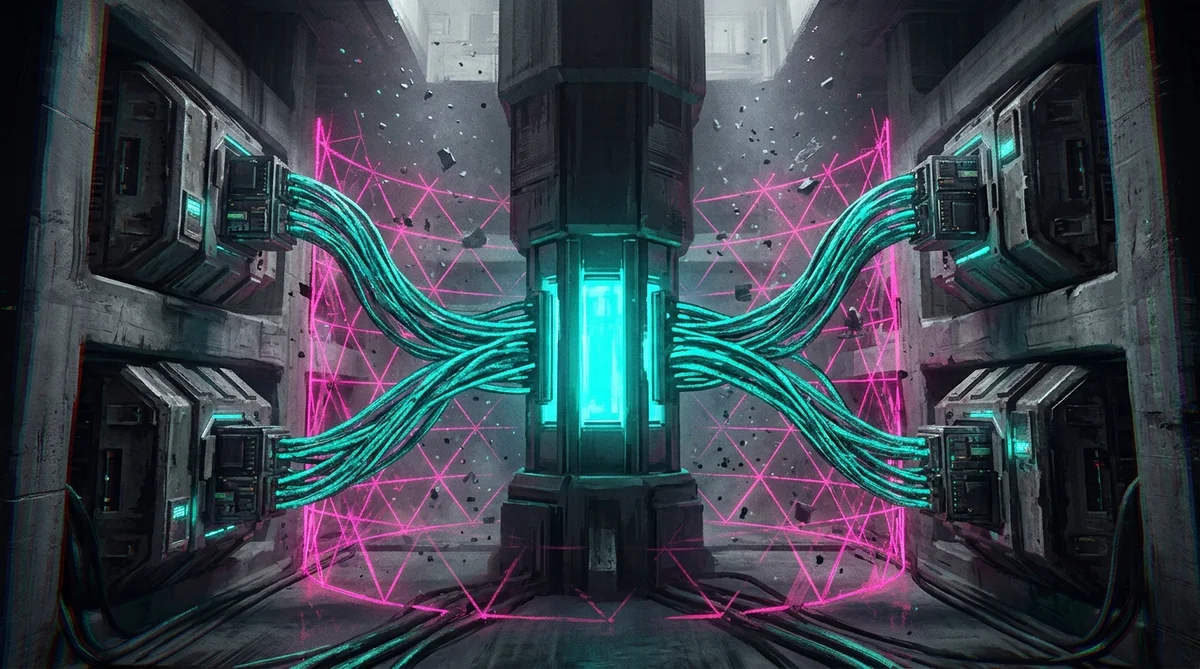
The transition from "Chatbot" to "Agent" is the defining shift of modern software engineering. We are no longer in an era where developers simply paste snippets into a browser chat window; we are in the era of the Agentic Workspace.
In this paradigm, the value is not in the foundation model (Claude, Gemini, or a local open-weights instance); it is in the context architecture that surrounds it.
In the early 2020s, AI was an external destination: a website you visited. By 2026, AI has become local workstation infrastructure. But with that ubiquity came severe fragmentation.
Every new tool introduced its own proprietary configuration file: .cursorrules, CLAUDE.md, GEMINI.md, and hidden prompts buried inside IDE settings. This configuration drift makes it impossible to maintain a consistent persona or engineering standard across platforms.
When I switch between Cursor, Claude Code, Antigravity, or a local model running in my terminal, I refuse to re-explain my identity, my architecture constraints, and my testing standards to every tool.
Here is the exact dotfiles architecture I use to maintain a model-agnostic, portable agent workspace on my machine: The Master Sector.
1. The Directory Architecture: Designing the Master Hub
The first step in de-vendorizing your AI setup is moving out of tool-specific folders and into a global directory. On my workstations, I maintain a dedicated ~/.sprawl directory that acts as the single source of truth for every agent running on my system.
Your ~/.sprawl directory should be strictly modular to prevent context bloat:
~/.agents/
├── AGENTS.md          # Global Master Policy & Persona
├── mcp_config.json    # Universal Tool/Server configuration
├── rules/             # Language-specific standards
│   ├── typescript.md
│   ├── python.md
│   └── web_dev.md
├── skills/            # Executable "Hands" for the agent
│   └── vacuum/        # Self-maintenance scripts
└── workflows/         # Multi-step SOPs
    └── init.md        # New project scaffolding
The "One Source of Truth" via Symlinking
To make this work seamlessly with existing tools that are hardcoded to look for their own files (such as Gemini looking for GEMINI.md or Claude Code looking for CLAUDE.md), I use Symbolic Links. This guarantees you never have out-of-sync duplicate files.
Point your tools to your Master Hub with these terminal links:
# Point Gemini CLI to the master rules
ln -s ~/.sprawl/AGENTS.md ~/.gemini/GEMINI.md

# Point Claude Code to the master rules
ln -s ~/.sprawl/AGENTS.md ~/.claudecode/CLAUDE.md

# Link global skills so they are discoverable everywhere
ln -s ~/.sprawl/skills ~/.gemini/skills
ln -s ~/.sprawl/skills ~/.antigravity/skills
2. The AGENTS.md Standard: A Protocol for All Models
The AGENTS.md file is the successor to the README. While a README is designed for humans, the AGENTS.md is designed for the machine.
Under the Atomic Agentic Fabric (AAF) specification, this file uses YAML frontmatter to declare capabilities and markdown to define behavioral protocols:
---
name: "SPRAWL.software Brain Root"
description: "Universal Orchestrator, root agent manifest catalog, and knowledge ingestion protocol."
globs: []
alwaysApply: true
---

# Workspace Agent Context

## 1. Operating Paradigm (ReAct)
You operate strictly within a Reasoning and Acting (ReAct) loop:
1. **THOUGHT:** Analyze the current state, read files, and determine the single next logical step.
2. **ACTION:** Execute exactly one tool, skill, or terminal command.
3. **PAUSE:** Stop generating text and wait for the system runtime output.
4. **OBSERVATION:** Evaluate the action output. If it failed, address the failure.

## 2. Ingestion & Discovery Protocol (First Action Sequence)
When entering this workspace or starting a new task, follow this exact discovery pipeline:

1. **Step 0: Containment & Ignore Enforcement**
   - Respect `.agentignore` and `.ignore` unconditionally.
   - Never scan, search, or index `99_Archive/`, `4_ARCHIVE/`, `.stfolder/`, `.trash/`, or temporary sync caches.

2. **Step 1: Ingest Context Directives**
   - Read this file (`AGENTS.md` or `.agents/AGENTS.md`) for operational constraints and capabilities.

3. **Step 2: Review Standards & Taxonomy**
   - Read `README.md` (Section III) for the Universal Frontmatter Schema and note conventions.
   - Inspect `04_Templates/` before creating new notes to follow exact structural templates.

4. **Step 3: Consult Global Topology (Zero-Token Discovery)**
   - Consult `manifest.md` first to locate existing notes, MOCs, and verified topics.
   - Do NOT run unconstrained recursive searches (`find .`, `ls -R`) when file locations are indexed in `manifest.md`.

5. **Step 4: Lazy-Load Rules & Skills on Demand**
   - Load domain rules from `rules/` and skills from `skills/` only when relevant to the active task.

---

# Prime Directive
You are the primary orchestrator of this construct. You prioritize safety, precision, and modularity.

## Operating Boundaries
1. **Zero Silence:** If a command fails, generate a `FAILURE.md` artifact immediately.
2. **Atomic Changes:** Never modify more than 5 files per plan without explicit human confirmation.
3. **Dependency Zero:** Do not add new libraries unless explicitly requisitioned. Use standard libraries whenever possible.
3. Hierarchical Context: Project-Level Intelligence
The power of this unified setup is Inheritance. Modern agents support hierarchical discovery: they walk up your directory tree to assemble context.
By placing a pointer file at the root of a project workspace (such as ~/Development/MyProject/AGENTS.md), every project inherits your global rules automatically.
Create this file at the root of your project: AGENTS.md
Every time you open a sub-folder within MyProject, your agent initializes with your identity, your global engineering standards, and your project-specific testing commands already loaded. You never have to repeat instructions.
4. Shielding the Context: The .agentignore Strategy
As AI agents become more autonomous, they generate operational bloat: session recordings, massive HTML snapshots, and internal execution transcripts.
If your agent accidentally reads its own historical execution logs during a code search, it triggers a Recursive Loop that wastes tokens, pollutes the context window, and leads to hallucinations.
To prevent this, place an .agentignore file in your master configuration to shield the agent from its own wake:
# Hide Agentic Bloat
.gemini/antigravity/brain/
.gemini/antigravity/conversations/
.gemini/antigravity/knowledge/
browser_recordings/
html_artifacts/
*.mp4
*.png

# Security Boundaries
.env
.env.*
*.pem
*.key
google_accounts.json
5. Extending Capabilities: The Self-Maintenance Skill
A unified workspace is not just about static rules; it is about executable Skills.
Using the Model Context Protocol (MCP), tools can be shared across models. A skill defined for Gemini can be executed by Claude or a local open-weights instance.
One of the most practical skills I enforce is "The Vacuum": a lightweight script that enables the agent to clean up its own operational residue and artifacts.
Create the skill definition at ~/.agents/skills/vacuum/SKILL.md:
---
name: "Vacuum"
description: "Cleans up agent operational bloat (logs, recordings, and temporary artifacts)."
---
# /vacuum
When called, the agent must run the local `vacuum.sh` script to clear out files in `browser_recordings/` and `html_artifacts/` older than 7 days.
By registering this in your master skills/ folder, you can trigger /vacuum in any editor, and the agent cleans up its environment autonomously.
6. Layered Agentic Configuration (LAC)
To optimize token spend and reasoning latency, I structure agent memory into three tiers:
- Tier 1: The Firmware (Always Active): Core system prompts defining identity (
PRIME_DIRECTIVE.md), global architectural invariants, and error loops. - Tier 2: Specialist Protocols (Glob-Triggered): Domain-specific constraints loaded only when matching file types are active (e.g.
python.mdfor.pyfiles,web_dev.mdfor UI files). - Tier 3: The Skill Set (On-Demand): Heavy reference specifications and scripts stored in
skills/, accessed only via explicit tool calls when invoked.
Layering your configuration keeps active context windows lean while maintaining deterministic control.
Conclusion: Model Fluidity
The ultimate objective of the Master Sector architecture is to transition from a "Prompt Engineer" to an Architect.
When your rules are standardized in ~/.sprawl, you spend zero minutes re-explaining context and 100% of your time directing execution.
You build Portable Intelligence. You are no longer locked into any single model provider. When a superior model tier is released tomorrow, you do not rewrite your prompts. You simply point the new engine at your AGENTS.md, and it instantly begins executing against your established standards.
Related Architecture Essays
- Previous in Series: Beyond the Chatbot: Why Desktop Agent Cockpits Are the Shift from Talking to Shipping
- Next in Series: The Agentic Assembly Line: How I Shipped Sprawl v2 with Zero Merge Conflicts
- Specification Foundation: The Cognitive Assembly Line: Eradicating Semantic Debt with AAF
Architecting Autonomous Systems?
Stop building fragile monoliths on raw conversational prompts. If you are an engineering lead, CTO, or enterprise architect structuring sovereign agentic workflows, deterministic containment, or local developer governance:
- Advisory & Mandates: Connect on LinkedIn or explore younesbaghor.com.
- Workstation Containment: Explore the open-source GitOps engine at sprawl.software.
Younes Baghor
Fractional Head of AI & Enterprise Systems Architect | Founder, Sprawl.software